


Why the Screen Is the Most Important Purchase Decision You Make
If you run a repair shop, a parts wholesale desk, or a refurbish-and-resell operation, the display is almost always your single highest-cost component — and the one most likely to come back as a return. Get the part type wrong and you eat the cost twice: once on the bad unit, once on the labor to swap it again. This guide breaks down the real differences between original pulled, OEM, and aftermarket screens, and between OLED and LCD, so you can buy with confidence for iPhone, Samsung, and Motorola repairs.
Original Pulled vs OEM vs Aftermarket — What You’re Actually Buying
These three labels get thrown around loosely. Here is what each one means on a bench:
- Original pulled (genuine recycled): a real panel harvested from a donor device. Best color accuracy and touch, keeps True Tone on iPhone, but scarce and priced at a premium.
- OEM / factory surplus: closest to the production line without being “pulled.” Consistent quality, the safe default when stock allows.
- Aftermarket soft OLED: flexible COP film like the original — the right call for iPhone X–11 and curved Samsung flagships.
- Aftermarket hard OLED: rigid glass with a bent flex. Cheaper, and perfectly fine on iPhone 12+ where the original is already hard.
- Aftermarket LCD / Incell: budget option. No true black, heavier, narrower color, but reliable and cheap for SE/XR/11-class devices.
- Refurbished: original glass + new panel (or vice versa). Quality rides entirely on the shop doing the refurb.
Need iPhone-specific part types and fault fixes? See our iPhone Screens Explained breakdown.
OLED vs LCD — How to Choose
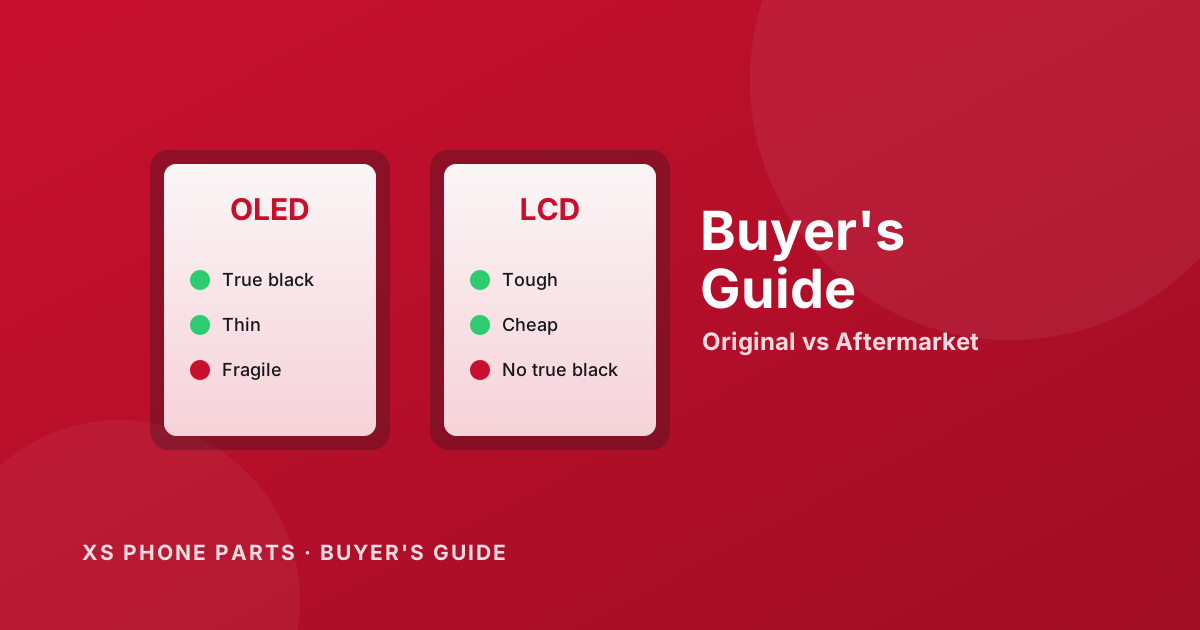
The short version: OLED gives true black, thinner panels, and better contrast but costs more and is less forgiving of a bad flex/IC. LCD is cheaper, tougher, and easier to swap, at the cost of contrast and weight. Match the technology to the device class, not to your margin:
| Factor | OLED | LCD |
|---|---|---|
| True black / contrast | Excellent | Good |
| Cost | Higher | Lower |
| Durability | More fragile | Robust |
| Best for | Flagship retina-class repairs | Budget / high-volume swaps |
For Samsung’s AMOLED and foldable specifics, our Samsung Displays guide covers curved-edge and green-line fixes.
Price vs Warranty Reality
Pricing tracks quality tiers roughly like this (indicative wholesale ranges, confirm with your supplier):
| Tier | Typical price band | Warranty expectation |
|---|---|---|
| Original pulled | Top | Short — often 30–60 days, COSMETIC/expiry sensitive |
| OEM / factory surplus | High | 90 days typical |
| Aftermarket soft OLED | Mid | 90–180 days |
| Aftermarket hard OLED | Mid-low | 90–180 days |
| LCD / Incell | Low | 180 days+ |
Read the fine print: most warranties cover dead-on-arrival and manufacturing defects, not customer drop damage or “I installed it and it cracked.” Our full Return Policy spells out what is and isn’t covered.
Which Screen for Which Customer
- Retail / walk-in repair: lead with OEM or high-grade soft OLED. Customers notice color and True Tone; a cheap panel that throws a non-genuine warning is a bad review waiting to happen.
- Repair shops (B2B): stock a tiered mix — soft OLED for flagships, hard OLED and LCD for high-volume budget work. Let the customer pick the tier.
- Wholesalers: prioritize batch consistency and DOA rate over the absolute cheapest unit. A 2% DOA problem scales into a returns nightmare at volume.
Pre-Purchase Checklist — 5 Questions to Ask Your Supplier
- Is this original pulled, OEM, or aftermarket — and which sub-type (soft/hard)?
- What is the DOA rate on the last 3 batches?
- Does the iPhone panel ship pre-programmed, or do I need to transfer the flex/IC?
- What exactly does the warranty cover, and for how long?
- Can you supply a batch test report (color, touch, True Tone where applicable)?
Shopping our catalog? Start with iPhone screens, Samsung screens, or Motorola screens.
FAQ — Replacement Screen Buying
What is the difference between original pulled and OEM?
Original pulled is a genuine panel recovered from a donor phone; OEM is surplus from the factory line. OEM is usually more consistent and easier to source in volume, while pulled units are scarcer and priced higher but are unambiguously “genuine.”
How do I choose soft vs hard aftermarket OLED?
Match the original: soft (flexible COP) OLED for iPhone X–11 and curved Samsung flagships; hard (rigid) OLED for iPhone 12+ and flat Samsung models. Using hard where the original was soft can cause fit and flex-stress issues.
Can I replace an OLED device with an LCD?
Technically yes on many models (Incell for OLED), but you lose true black, add weight, and narrow the color gamut. It’s a budget fix, not a like-for-like swap — set customer expectations accordingly.
Why does a cheap screen show a non-genuine warning?
On iPhone (iOS 15.2+) the system reads screen serial/True Tone data. A panel without the original flex/IC data, or without programming, triggers the “Important Display Message.” A programmer (JC, Huffman, iCopy) transfers the data to silence it.
How do I avoid buying refurbished units sold as original?
Ask for a batch test report, check the DOA rate across recent batches, and visually inspect for uneven glass-to-panel bonding. Reliable suppliers are transparent about tier and batch origin.