


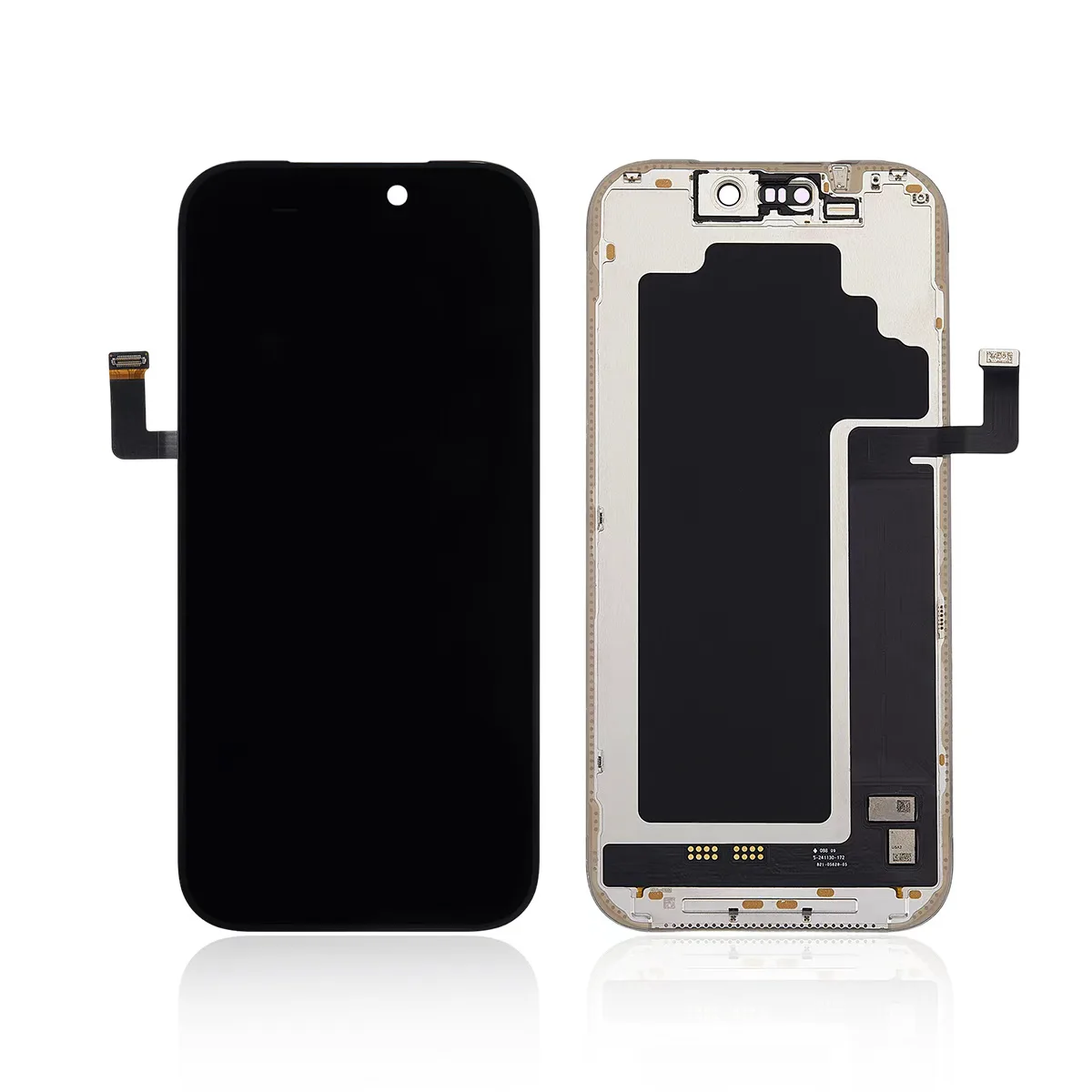
If You Touch iPhones, the Display Is Your Biggest Risk
If you repair or resell iPhones, the display is the single most expensive and most failure-prone component you handle. Knowing exactly what sits behind the glass — and what goes wrong — is the difference between a clean repair and a return. This guide covers iPhone display types from the X through the 16, the replacement part tiers, the faults customers actually bring in, and the fixes that hold.
What the Screen Is Actually Made Of
Apple does not use one display type across the range. A quick model map:
| Model | Display type |
|---|---|
| iPhone X / XS / 11 Pro / 11 Pro Max | Soft OLED (“Super Retina”) |
| iPhone 12 / 13 / 14 / 15 / 16 (non-Plus) | Hard OLED (“Super Retina XDR”) |
| iPhone 14 / 15 / 16 Plus | Hard OLED |
| iPhone SE (1st/2nd/3rd) | LCD (“Retina HD”) |
| iPhone XR / 11 | LCD (“Liquid Retina”) |
OLED uses a flexible ribbon (flex) bonded to a touch/3D-Touch IC. iPhone X/XS/11 Pro used a soft OLED with a foldable COP film; from iPhone 12 onward many lines moved to a thinner rigid (hard) OLED with a bent flex. That distinction drives which aftermarket part you should buy.
Types of Replacement Screens
- Original pulled — genuine recycled panel. Best quality, keeps True Tone, but scarce and pricey.
- OEM / factory surplus — closest to original off the production line.
- Aftermarket soft OLED — flexible COP film like the original; the best aftermarket choice for iPhone X–11.
- Aftermarket hard OLED — rigid glass + bent flex; cheaper and works on 12+ where the original is hard.
- LCD / Incell for OLED models — budget option; no true black, heavier, narrower colour, but reliable.
- Refurbished — original glass + new panel (or vice versa).
Buying tip: match the flex type to the device. Our Replacement Screen Buyer’s Guide has the full tier comparison and price bands.
Common Faults Customers Actually Complain About
- “Important Display Message” / non-genuine warning (iOS 15.2+): True Tone and auto-brightness are disabled.
- Vertical green/white lines after a drop — torn flex or damaged display IC.
- Ghost touch / dead zones — touch IC lives on the original flex; swapping the panel without transferring it causes this.
- OLED burn-in from a static status bar or navigation bar.
- Face ID failure if the earpiece flex is swapped without programming.
Solutions That Actually Work
- Keep the original flex & IC. Use a programmer (JC, Huffman, iCopy) to read the original screen’s serial/True Tone data and write it onto the new panel — this restores True Tone and silences the warning.
- Ghost touch? Transfer the original touch IC, or fit a pre-programmed aftermarket panel that ships with the IC included.
- Match the bend radius: prefer soft OLED for X–11 to mirror the original fold; hard OLED is fine for 12+.
- Reduce burn-in risk: advise customers to keep auto-brightness on and avoid max brightness with static UI.
- Test before you sell: colour accuracy, full touch, and True Tone on every unit.
For Samsung and Motorola display fault patterns, see our Samsung Displays guide and Motorola Screens guide.
Buying the Right iPhone Screen
Stock by tier and model, and check warranty terms before bulk orders — our Return Policy spells out what is and isn’t covered. Browse the full range in our iPhone screens catalog.
FAQ — iPhone Screens
Can the iPhone non-genuine screen warning be removed?
Yes. On iOS 15.2+ the warning appears because the system can’t read the original screen’s serial/True Tone data. A programmer (JC, Huffman, iCopy) reads the original flex and writes the data to the new panel, restoring True Tone and clearing the message. Aftermarket panels that ship pre-programmed do this out of the box.
Where do green lines come from, and can they be fixed?
Usually a torn flex or damaged display IC after a drop. If the flex is reseatable and the IC is intact, a panel swap resolves it; if the IC itself is damaged, the panel must be replaced. Dead-on-arrival green lines point to a batch defect — claim it under warranty.
Does ghost touch always require moving the IC?
In most iPhone OLED swaps, yes — the touch IC lives on the original flex. Transfer it to the new panel, or use a pre-programmed aftermarket panel that includes the IC. Skipping this is the #1 cause of post-repair ghost touch returns.
Why are SE, XR and 11 still LCD?
Those models shipped with Retina HD / Liquid Retina LCD panels from the factory. There is no OLED original for them; “OLED upgrades” are aftermarket Incell conversions with the trade-offs noted above.
Is burn-in covered by warranty?
Typically no — burn-in is considered usage-related, not a manufacturing defect. Warranties cover DOA and defects, not long-term image retention from static UI. Set customer expectations up front.